
Introducing Rufus: The Go-To Tool for Bootable USB Drives
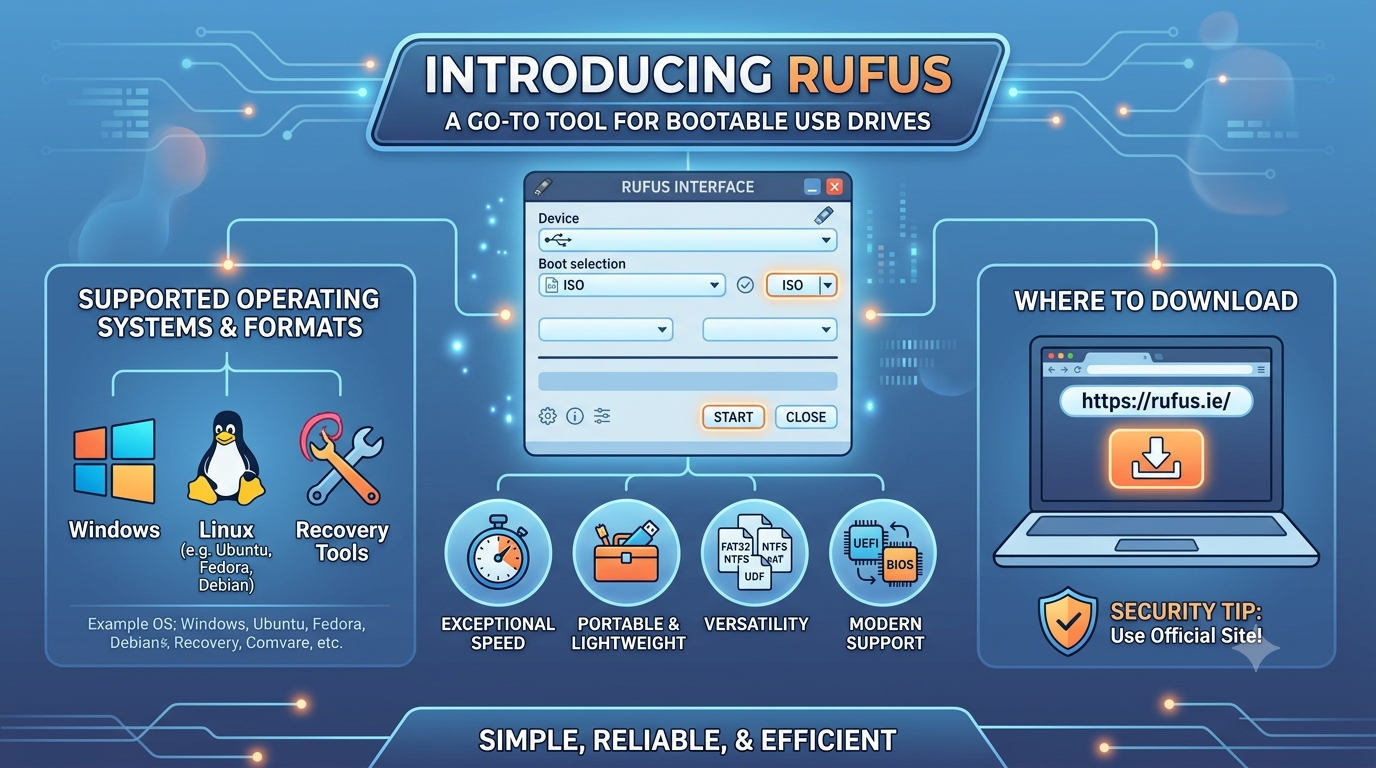
If you have ever needed to install a fresh operating system, troubleshoot a PC, or simply create a bootable drive for a low-level utility, you have likely come across Rufus.
Rufus is a free, open-source, and lightweight portable utility designed for Windows that simplifies the process of formatting and creating bootable USB flash drives. Since its inception, it has become a staple tool for IT professionals and casual users alike due to its speed, reliability, and ease of use.
Why Choose Rufus?
-
Exceptional Speed: Rufus is often significantly faster than many of its competitors, making it a great choice when time is a factor.
-
Portable & Lightweight: It does not require installation. You can simply download the executable and run it directly, which makes it perfect for carrying on a toolkit drive.
-
Versatility: Beyond creating bootable media, it can be used to format USB drives to various file systems, including FAT32, NTFS, exFAT, UDF, and ReFS.
-
Modern Support: It supports both modern UEFI and legacy BIOS systems, ensuring compatibility with a wide range of hardware.
-
Advanced Features: Rufus can handle complex tasks such as detecting “fake” flash drives, downloading official Windows ISOs directly from Microsoft, and customizing installation parameters (like skipping privacy settings).
Supported Operating Systems and Formats
While the Rufus software itself runs on Windows (8 or later), it is used to create bootable media for a vast array of operating systems.
You can use Rufus to create bootable drives for:
-
Microsoft Windows: Including Windows 10 and 11.
-
Linux Distributions: Popular versions like Ubuntu, Fedora, Debian, and many more.
-
Specialized Tools: It supports MS-DOS, FreeDOS, and various system recovery and rescue environments.
Essentially, if you have a valid ISO image or a raw disk image file, there is a very high probability that Rufus can turn it into a bootable USB drive for you.
Where to Download
To ensure you are using the legitimate and secure version of the software, you should always download Rufus from its official source.
-
Official Website: https://rufus.ie/
-
Direct Download Page: https://rufus.ie/en/downloads.html
Security Tip: Because Rufus is a highly popular utility, you may encounter unofficial mirrors. Always stick to the official
rufus.iedomain or the project’s official GitHub repository to ensure you are downloading authentic, malware-free software.
This video provides a practical, step-by-step walkthrough of the Rufus interface, showing you how to select your ISO file, configure your settings, and successfully flash your USB drive.
Are you planning to install a specific operating system, or are you looking to create a multi-purpose recovery USB?
Related articles:
1. A Beginner’s Guide to Using Clonezilla
2. A Beginner’s Guide to Using FileZilla for File Transfers
3. An Introduction to open source Linux Mint
4. Introduction to WordPress: The World’s Most Popular Open-Source CMS
5. How to Install WordPress on Your Hosting Account
6.GitHub: The Beating Heart of the Open Source Community and Why You Should Be a Part of It
7. Drupal: The Powerhouse CMS That Pays in Learning, Not in Clicks
8. LibreOffice: The Powerful, Free, and Open-Source Office Suite You Should Be Using
9. The Bulletin Board Blueprint: Why phpBB Reigns Supreme in Open-Source Forums
10. Reclaim Your Inbox: A Guide to the Thunderbird Email Client
11. Unleash Your Creativity: A Guide to the Free & Powerful GIMP Photo Editor
12. Open Source Software for Personal Productivity
13. Top Open-Source Auto CAD Alternatives
14. Manjaro: The Gateway to Arch Linux Made Easy
15. The Rise of Open Source AI Video Editors: A Comparative Analysis
16. Open Source Powerhouse: An Introduction to OBS Studio
17. Kdenlive vs. Shotcut: Two Powerful Open-Source Video Editors Compared
18. Foxclone: The Modern Open-Source Alternative to Clonezilla
19. Linux in a Click: How DistroSea Lets You Test 60+ Distros Without Installation
20. Rescuezilla: The Open-Source Guardian for Your Data
21. OpenClaw: The Autonomous AI Agent Platform — Complete Guide
22. GLM-5.1: A Deep Dive into Z.ai’s Newest Open-Source Agentic AI Model
23. The Ultimate Guide to Ventoy: The Easiest Way to Manage Bootable ISO Files
24. SwiftSlate: The Open-Source AI Text Assistant & Translator for Android
Leave a Reply
Want to join the discussion?Feel free to contribute!